Use a CRM once you have more than 10 active leads and more than 2 people touching those leads. Below that threshold, a well-maintained spreadsheet is functional. Above it, Excel becomes the single biggest source of invisible revenue loss in Indian SMBs — not because it is a bad tool, but because it was never designed to manage sales relationships.
Excel stores data. A CRM acts on it. That is the complete distinction. Everything else flows from this.
What Excel Does Well (Be Honest About This)
- Real-time access from any device via Google Sheets
- Familiar to everyone on the team
- Flexible — any column, any format
- Free
- Instant setup
These are real advantages. If you are a solo operator with 5 leads and you update the sheet daily without fail — Excel works fine. Stay there until it breaks.
The 5 Moments Excel Breaks Down for Indian Sales Teams
- Two people edit simultaneously — data conflicts, last save wins, a lead record gets corrupted
- Follow-up date arrives and nobody checks the sheet — there is no notification system, only the human habit of remembering to look
- A salesperson leaves — their column notes make sense to them, not to whoever takes over
- You need pipeline value at a glance — requires filtering, sorting, and formula work across every row
- You pass 50 active leads — the file becomes a management burden rather than a sales tool
The Hidden Cost of "Free" Excel CRM
Calculate this: how many warm leads did your team fail to follow up on last month because there was no reminder system? Multiply by your average deal value. That number is what Excel "free" actually costs you.
For a 5-person Indian SMB agency with a ₹30,000 average project value and 3 missed follow-ups per month, that is ₹90,000/month in leaked revenue. Against ₹3,999/year for LeadLab, the ROI is not a debate.
CRM vs Excel — The Functional Comparison
| Capability | Excel/Sheets | LeadLab CRM |
|---|---|---|
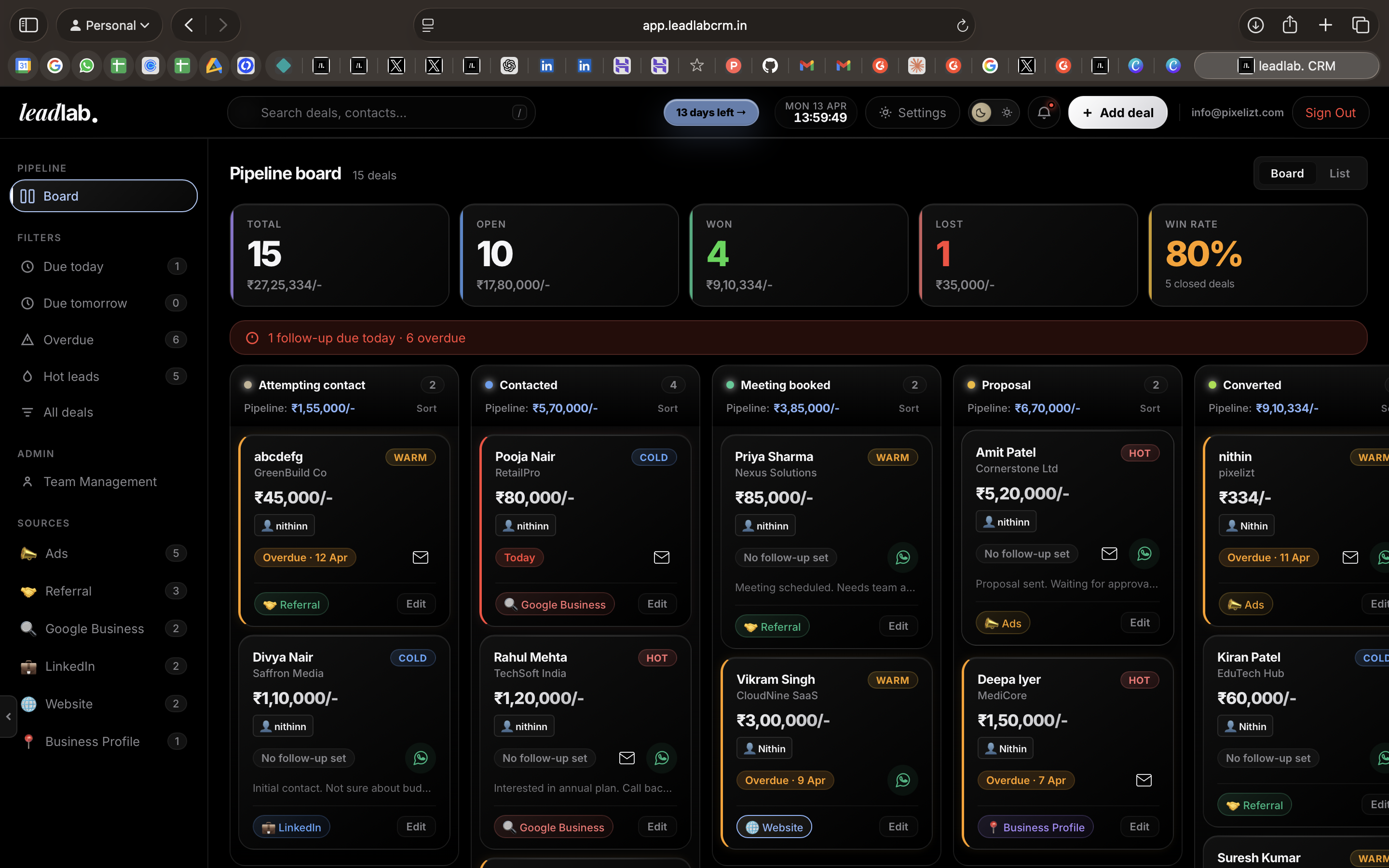
| Follow-up reminders | None — manual only | Built-in, automatic |
| Pipeline stage view | Rows and columns | Visual Kanban |
| Team real-time sync | Conflict risk | Live shared pipeline |
| Lead history | Overwritten on edit | Full activity log |
| Source tracking | Manual column | Tagged on entry |
| Mobile-first | Partial | Yes |
| Annual cost | ₹0 (hidden cost) | ₹3,999 flat |
Frequently Asked Questions
Memory fails.
LeadLab doesn't.
Stop losing deals to forgotten follow-ups. Build your pipeline in 5 minutes.
Start for free →